Installation
Install the exls CLI to interact with the exalsius platform from your terminal.
Prerequisites
- Python 3.12 or newer
Virtual environment
Install the CLI in a dedicated virtual environment to avoid dependency conflicts:
python -m venv .venv
source .venv/bin/activate
Install the CLI
pip install exls
uv pip install exls
pipx install exls
Verify the installation
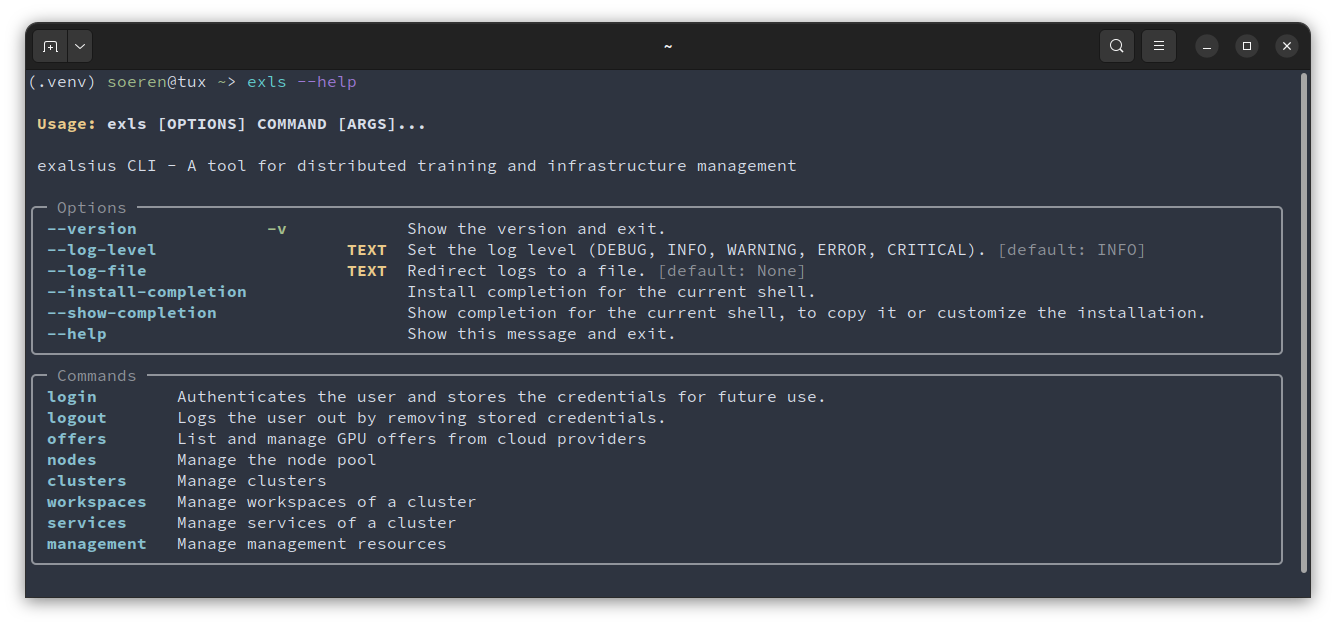
Run exls --help to confirm the CLI is installed:
exls --help
exls not found
Ensure your Python bin (Linux/macOS) or Scripts (Windows) directory is in your system PATH.
Update the CLI
pip install --upgrade exls
uv pip install --upgrade exls
pipx upgrade exls
Troubleshooting
- Verify your Python version is 3.12 or newer:
python --version. - Ensure
pipis up to date:pip install --upgrade pip. - If
exlsis installed in multiple virtual environments, confirm you have the correct one activated. - If problems persist, open an issue on the exalsius CLI GitHub repository or reach out on Discord.
Next steps
Continue to the quickstart to log in, import your first node, and start a workspace.